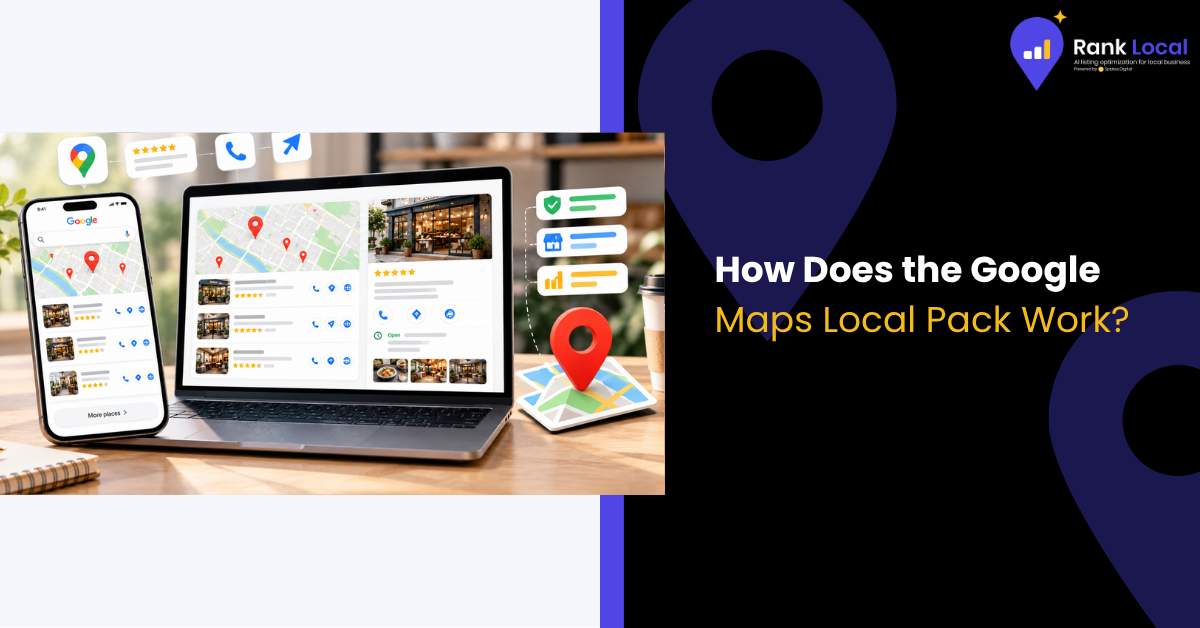
Pick up your phone and search "coffee shop near me." Before you see a single website, Google serves up a map with three businesses pinned on it, complete with star ratings, hours, and a handy "Call" button.
That little box is the Google Maps Local Pack, and it's some of the most valuable real estate on the internet for small businesses. Customers who see it often make a decision in seconds, without ever scrolling further.
So how does it work? Why do some businesses show up while others stay invisible? Let's break it down in plain English.
What Is the Google Maps Local Pack?
The Local Pack (also called the Map Pack or Local 3-Pack) is a special search feature that appears when Google detects that someone is looking for a nearby business or service. It typically displays:
- A map with pins marking each business location
- Three featured business listings
- Star ratings and review counts
- Business hours and open/closed status
- Quick-action buttons for calls, directions, and website visits
Below the three listings, there's usually a "More places" option that expands into a longer list on Google Maps. But the top three spots capture the lion's share of attention, and that's what most local businesses are competing for.
When Does the Local Pack Appear?
Google doesn't show the Local Pack for every search. It appears when Google believes the searcher wants something close by. Common triggers include:
- "Near me" searches: "dentist near me," "gas station near me"
- Searches with a location: "plumber in Denver," "best tacos in San Diego"
- Implied local intent: "hair salon," "urgent care," or "oil change," even with no location mentioned
In the last case, Google uses the searcher's phone, device, or IP location to figure out which businesses are nearby.
Why the Local Pack Matters for Small Businesses
The Local Pack isn't just a nice-to-have. It sits above the traditional organic results on many local searches, which means a high-ranking business can beat out competitors with much bigger websites and budgets.
Here's why it matters:
- High visibility: It's among the first things searchers see, especially on mobile.
- High intent: People searching locally are often ready to buy, book, or visit.
- Instant action: Calls, directions, and website visits are one tap away.
- Level playing field: Smaller businesses can compete based on relevance, proximity, and reputation.
Simply put, if you're not in the Local Pack, you're missing out on customers who are already looking for exactly what you offer.
How Does Google Decide Who Appears in the Local Pack?
Google has said publicly that local results are based mainly on three factors: relevance, distance, and prominence. Let's look at each one.
1. Relevance
Relevance measures how well your business matches what the searcher wants. A complete and accurate Google Business Profile helps Google understand your services, categories, and keywords. If someone searches for "emergency plumber" and your profile clearly lists emergency plumbing services, you're more relevant than a listing that only says "home services."
2. Distance
Distance looks at how close your business is to the searcher, or to the location named in the search. You can't move your storefront to improve this, but a correct address and a properly set service area ensure Google knows exactly where you are.
3. Prominence
Prominence reflects how well known and trusted your business is, both online and offline. Google looks at:
- The number and quality of customer reviews
- Your average star rating
- Mentions of your business across the web, including directories and local news
- Links pointing to your website
- Your overall organic search ranking
A business with strong reviews and a solid web presence often outranks a closer competitor with a thin online footprint.
Other Factors That Influence Local Pack Rankings
Beyond the big three, several practical details can nudge you up or down:
- Profile completeness: Photos, services, hours, and descriptions all help.
- Review activity: Fresh, steady reviews and thoughtful owner responses signal an active business.
- Citation consistency: Your name, address, and phone number (NAP) should match across the web.
- Website quality: A fast, mobile-friendly site with local content supports your profile.
- Engagement: Clicks, calls, and direction requests can reinforce your listing's value.
Keep in mind that rankings are personalized. Two people standing a few blocks apart may see slightly different results, and the same person may see different results from one hour to the next.
How to Get Into the Local Pack: 6 Practical Steps
Step 1: Claim and Verify Your Google Business Profile
This is your ticket to entry. Without a verified profile, you simply can't appear in the Local Pack.
Step 2: Choose the Right Categories
Pick the most accurate primary category, then add secondary categories for related services. This is one of the strongest relevance signals you control.
Step 3: Fill Out Every Detail
Add your hours, phone number, website, services, products, and a helpful business description. Upload quality photos of your location, team, and work.
Step 4: Collect Reviews Consistently
Ask happy customers to share their experience, and make it easy with a direct review link. Respond to every review, positive or negative, in a friendly, professional tone.
Step 5: Build Consistent Citations
List your business on trusted directories like Apple Maps, Bing Places, Yelp, and relevant industry sites. Make sure your NAP details are identical everywhere.
Step 6: Strengthen Your Website
Create location and service pages that mention your city and neighborhoods, embed a map, and include clear contact details. Local backlinks from chambers of commerce, sponsorships, and community partners add extra credibility.
Local Pack Mistakes to Avoid
Many businesses lose ground because of simple errors:
- Using a fake or virtual address. This violates Google's guidelines and risks suspension.
- Stuffing keywords into your business name. Use your real business name only.
- Ignoring negative reviews. A thoughtful response can win back trust.
- Letting information go stale. Outdated hours or phone numbers frustrate customers and hurt rankings.
- Creating duplicate listings. These split your authority and confuse Google.
How Long Does It Take to Rank in the Local Pack?
There's no single timeline. Some businesses see improvements within a few weeks after cleaning up their profiles, especially in less competitive markets. In busy industries like law, dentistry, or home services, it can take several months of steady effort. The key is consistency. Local SEO builds momentum over time, and the businesses that keep showing up usually win.
Final Thoughts
The Google Maps Local Pack rewards businesses that are relevant, nearby, and trusted. You can't control where customers are standing when they search, but you can control nearly everything else: your profile, your reviews, your website, and your reputation in the community.
Start with the basics, stay consistent, and keep your information fresh. Over time, those small actions add up to more visibility, more calls, and more customers.