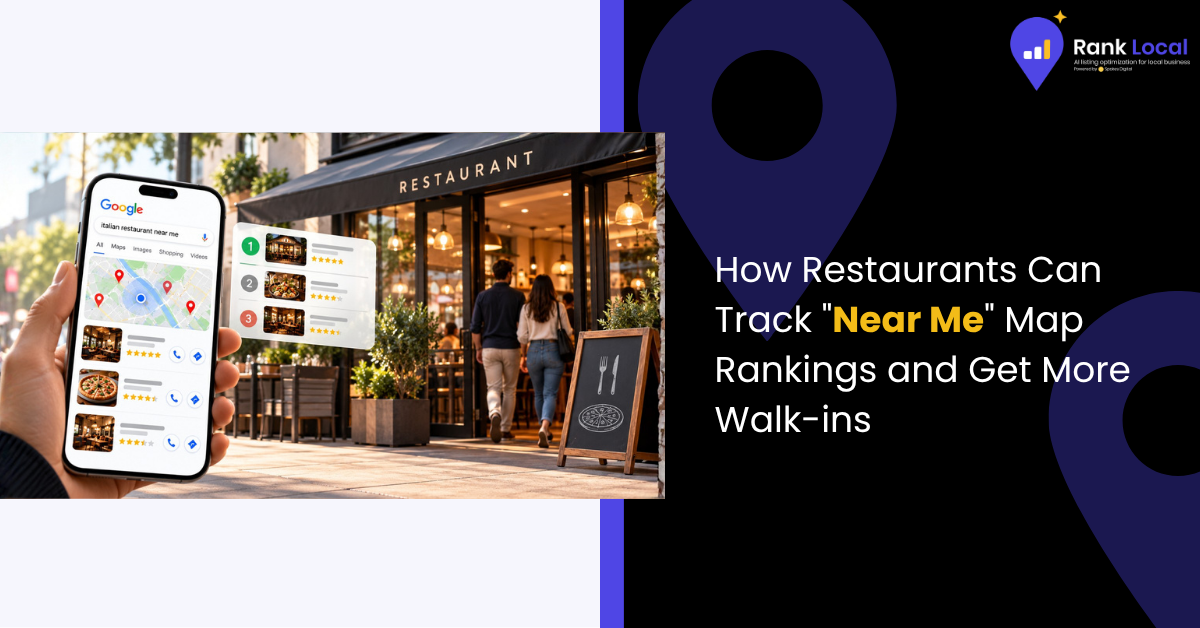
Picture this: It's Friday night at 6:30 PM. A hungry couple is sitting in a parked car three blocks away from your restaurant, scrolling through their phones. They type "best burger near me" or "italian restaurant open now" into Google.
Within seconds, the Google Maps "Local Map Pack" displays three options. The couple taps the first listing, looks at the photos, checks the star rating, and hits "Directions." They never even saw positions four through twenty.
For restaurant and cafe owners, local search visibility is no longer a marketing afterthought, it is the digital front door of your business. Yet many operators fly blind. They check their rankings from their own personal phones (which skews results based on past location history) or assume that because they look good on Instagram, they are winning on Google Maps.
If you want to fill more tables, you need to understand how "near me" map rankings actually work, how to track them accurately across your entire neighborhood, and what levers move the needle.
Why Average Local Rankings Lie to Restaurant Owners
When most people think about tracking SEO, they think of typing a keyword into a search engine and seeing what number comes up. But local search isn't static, it is hyper-local and heavily influenced by distance.
Google's local ranking algorithm relies on three core pillars:
- Relevance: How well your Google Business Profile (GBP) matches what the user searched for.
- Prominence: How well-known, reviewed, and trusted your restaurant is across the web.
- Distance: How close your physical address is to the exact coordinate where the searcher is standing.
Because of distance, your restaurant might rank #1 if a user is standing directly across the street, but drop to #8 if they are searching from a neighborhood over. This is why checking your rank from your desk or looking at a single "average position" metric hides the truth. To truly capture walk-ins, you need to see your visibility through a geo-grid rank tracker, a map-based tool that plots your rankings across a multi-point grid spanning your entire local trade area.
Step 1: Map Your True Visibility with a Geo-Grid Tracker
A geo-grid tracker drops a virtual grid (like a 5x5 or 7x7 matrix) over your city or neighborhood, simulating searches from dozens of different street corners simultaneously.
When you run a scan for your core terms, such as "brunch spot" or "coffee shop near me," the report reveals a color-coded map:
- Green pins (1–3): You are dominating the Map Pack in these zones. Walk-ins are flowing to you.
- Yellow/Orange pins (4–10): You are buried below the fold. Diners aren't seeing you.
- Red pins (10+): You are invisible in these pockets, meaning competitors are capturing every hungry customer coming from those neighborhoods.
By identifying exactly where your visibility drops off, you can stop guessing and start targeting the exact geographic gaps holding back your revenue.
Step 2: Optimize Your Google Business Profile for "Near Me" Intent
Once you know where you stand, you have to optimize the asset Google uses to rank you: your Google Business Profile (GBP). For restaurants, a standard profile setup isn't enough; you need to dial in the specifics that influence local intent.
Choose Cuisine-Specific Categories
Don't just select "Restaurant" as your primary category. If you run an upscale taco joint, your primary category should be "Mexican Restaurant" or "Taco Restaurant." Use secondary categories sparingly for related offerings (like "Bar & Grill" or "Brunch Restaurant"), but keep your primary category hyper-focused on what you do best.
Turn Menu Items into Indexable Text
Many restaurants make the fatal mistake of uploading their menu as a PDF or an unreadable image file. Google's crawler cannot easily read text trapped inside a graphic.
- Type your menu items directly into your Google Business Profile and website.
- Highlight signature dishes with descriptive text (e.g., "House-made potato gnocchi with slow-braised beef ragu"). When users search for specific cravings, Google matches those exact terms to your menu.
Protect Your "Open Now" Status with Rigorous Hours
"Open now" is one of the most common modifiers appended to restaurant searches. If your holiday hours are stale, or if you close early for a private event and fail to update Google, angry diners will show up to locked doors, resulting in scathing one-star reviews that tank your local ranking velocity. Treat your digital hours with the same operational rigor as your front door.
Step 3: Fuel the Prominence Engine
Relevance and distance get you into the conversation, but prominence wins the Map Pack. In the hospitality industry, prominence is driven by two primary factors: fresh photos and review velocity.
- Visuals are your digital menu: Listings that feature bright, authentic, professionally lit photos of your space, drinks, and signature dishes see significantly higher click-through rates. Upload new photos weekly to signal to Google that your business is active and thriving.
- Prioritize review velocity over static counts: Having 500 reviews from three years ago is less powerful than a steady, recent trickle of 15 new reviews every month. Use table-tent QR codes or automated SMS/email follow-ups to make leaving a review frictionless for happy diners.
- Respond like a human: Reply to every review, positive and negative, within 24 hours. Thoughtful responses to tough reviews reassure prospective diners browsing your profile that you care about quality and service.
Turn Local Search Visibility into Packed Tables
Tracking your "near me" map rankings shouldn't require a degree in data science or a dedicated marketing agency. By monitoring your local visibility on a live geo-grid, keeping your Google Business Profile pristine, and maintaining active review and photo workflows, you can systematically capture the hungry diners searching right in your backyard.
Stop leaving your Friday night seating chart to chance. Check your map rankings, optimize your digital footprint, and turn more online searches into physical walk-ins.