
Think about the last time you searched for a coffee shop, a mechanic, or a dentist on your phone. Chances are, you didn't scroll through ten pages of results. You glanced at the map, checked a few star ratings, maybe tapped "Call," and moved on.
That quick, high-intent moment is exactly where Google Business Profile comes in. For small businesses, it's often the first impression customers get, and sometimes the only one you'll have before they decide to visit a competitor instead.
In this guide, we'll explain what Google Business Profile is, why it matters, and how to set one up so it works hard for your business.
What Is Google Business Profile?
Google Business Profile (GBP) is a free tool from Google that lets you manage how your business appears in Google Search and Google Maps. You may remember it as "Google My Business." Google rebranded it, but the purpose is the same: giving business owners control over their online presence.
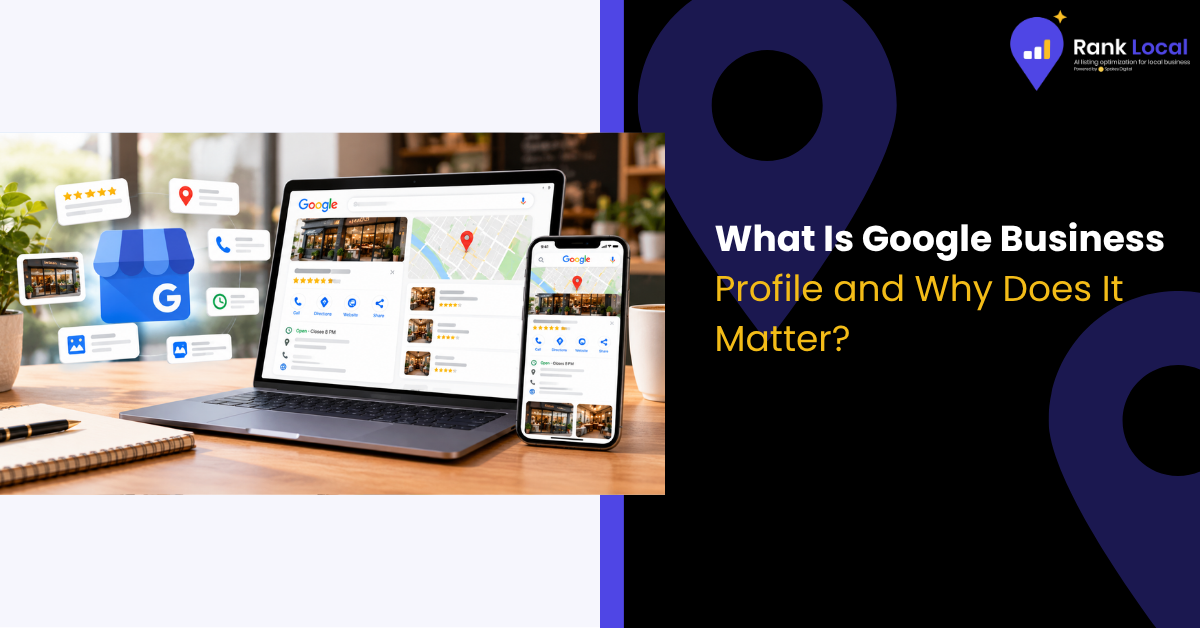
When someone searches for your business name or for a service you offer nearby, your profile can appear as a detailed information panel showing:
- Your business name, address, and phone number
- Hours of operation
- Website link and directions
- Photos and videos
- Customer reviews and ratings
- Services, products, and special offers
- Posts, updates, and Q&A
In short, it's a mini-website that lives right inside Google's search results, and it costs nothing to use.
Why Google Business Profile Matters for Your Business
1. It Puts You in the Local Pack
The Local Pack is the group of three businesses displayed with a map at the top of many local searches. Appearing here can send a steady stream of calls, clicks, and foot traffic your way. Without a verified, well-built profile, your chances of showing up are slim.
2. It Captures Customers Ready to Buy
People who search for "plumber near me" or "best pizza in Austin" are not casually browsing. They have a need, and they want it solved now. A strong profile puts your business in front of customers at the exact moment they're ready to act.
3. It Builds Trust Through Reviews
Reviews are among the most powerful trust signals online. Most shoppers read them before choosing a local business, and your profile is where they find them. A healthy mix of recent, positive reviews can set you apart from competitors who have few or none.
4. It Boosts Your Local SEO
Google Business Profile is one of the biggest factors in local search rankings. Complete, accurate, and active profiles send clear signals to Google about who you are, what you do, and where you operate. If you're new to the topic, our beginner's guide to local SEO covers how all these pieces fit together.
5. It's Free and Works Around the Clock
Unlike paid advertising, you don't pay per click or per impression. Your profile works for you 24/7, answering common questions, showing your hours, and making it easy for customers to contact you even when your doors are closed.
How to Set Up Your Google Business Profile
Getting started takes less than an hour. Here's a simple walkthrough.
- Sign In and Search for Your Business. Go to google.com/business and sign in with a Google account. Search for your business name to see whether a listing already exists. Many businesses have an unclaimed listing created automatically.
- Claim or Create Your Listing. If your business appears, follow the prompts to claim it. If not, select the option to add your business and enter your name, category, and address. Service-area businesses, such as plumbers or cleaners who travel to customers, can hide their address and list the areas they serve instead.
- Verify Your Business. Google needs to confirm that you're the legitimate owner. Depending on your business, verification may happen by postcard, phone, email, text, or video. Don't skip this step, because an unverified profile can't fully appear in search results.
- Complete Every Section. Fill out all available fields. Businesses with complete profiles are generally seen as more credible and tend to attract more engagement.
How to Optimize Your Google Business Profile
Setting up your profile is only the beginning. These best practices help you stand out.
- Choose the right primary category. This is one of the most influential settings. Pick the category that most precisely describes your core business, then add secondary categories for other services.
- Write a helpful business description. Use your 750 characters to explain what you do, who you serve, and what makes you different. Include natural keywords and your service area, but avoid stuffing.
- Add high-quality photos. Upload images of your storefront, interior, team, products, and completed work. Profiles with plenty of fresh photos tend to earn more clicks and requests for directions.
- List your services and products. Detailed service listings help Google match you to more specific searches and help customers know exactly what to expect.
- Keep your hours accurate. Update your hours for holidays and special events. Nothing frustrates a customer more than driving to a closed business.
- Post regularly. Share updates, promotions, events, and news. Posts show customers you're active and engaged.
- Collect and respond to reviews. Ask satisfied customers to leave feedback, and reply to every review, including the negative ones. A calm, professional response shows you care about customer experience.
- Answer questions. Monitor the Q&A section and respond quickly, or add your own common questions and answers to guide shoppers.
Common Google Business Profile Mistakes to Avoid
Even experienced owners trip up. Watch out for these pitfalls:
- Inconsistent information. Your name, address, and phone number should match your website and other directories exactly.
- Keyword stuffing your business name. Use your real, legal business name. Adding extra keywords can get your profile suspended.
- Ignoring your profile after setup. An outdated, neglected listing sends the wrong message.
- Leaving reviews unanswered. Silence can look like indifference.
- Creating duplicate listings. Duplicates split your authority and confuse customers.
Final Thoughts
If you want local customers to find you, Google Business Profile isn't optional. It's the foundation of your online visibility, your reputation, and your local search strategy. Best of all, it's free, and the businesses that take the time to claim, complete, and maintain their profiles consistently outperform those that don't.
Start with the basics: claim your listing, verify it, fill in every detail, and make a habit of adding photos, posts, and review responses. Small, steady effort adds up to big results over time.